How do you pick paint colors for your rooms? Throw a dart, keep it neutral and boring, or look at a lot of options from the paint chips you collected at the hardware store. I feel like I have done all of those things over the years and that was fine when I was painting temporary rental places. Yes I was lucky enough to have a couple of spots I could paint. Don’t be jealous the were dumps. Now that I am painting my own house and I know the decor will be a little more permanent I am more concerned with getting it right the first time. Plus I don’t really like painting so once every decade is going to be good for me.
I have a large collection of color palettes saved on Pinterest, but none of them were quite right for our bedroom and upstairs hallways. I wanted something fun and colorful but also wanted to make sure the color in the hallway went well with the color in the bedroom, plus it had to look good with the carpet we had just ordered.
I stumbled on Sherwin-Williams Chip It feature and my decision started to get easier. With the Chip It tool you can upload your own picture or enter a URL and select a picture from your favorite website. I uploaded two pictures and used a URL for another.
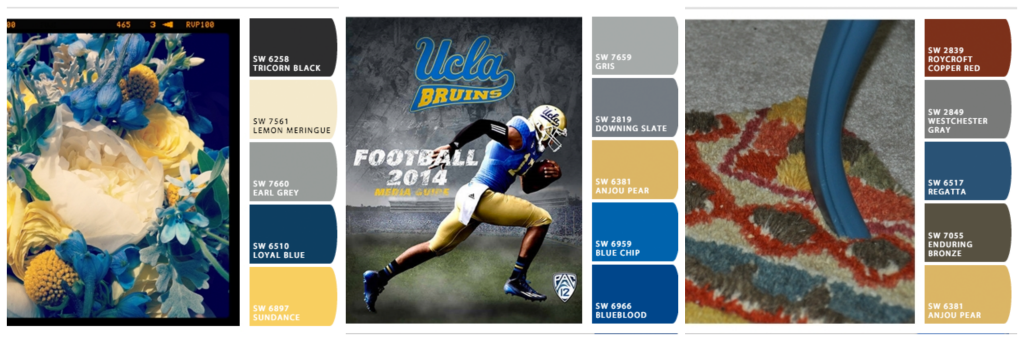
I knew we wanted to do yellow and blue upstairs because they were our wedding colors. The first is I uploaded was my wedding bouquet and the second is UCLA football media guide I used from a link of the UCLA Football website. It would seem an unlikely pair but our wedding colors were inspired by the UCLA school colors. It ended up going really well with our outdoor spring wedding. The final picture is the rug downstairs. Since the hallway in the staircase is visible from the family room I wanted to make sure it would look good in both the upstairs hallway and the staircase.
Once you have your pictures in the program either from a link or one of your own that you uploaded the program will generate your own unique color palette in the form of a chipcard. It will draw 10 different colors from the photo. It shows the most dominant 5 to start.
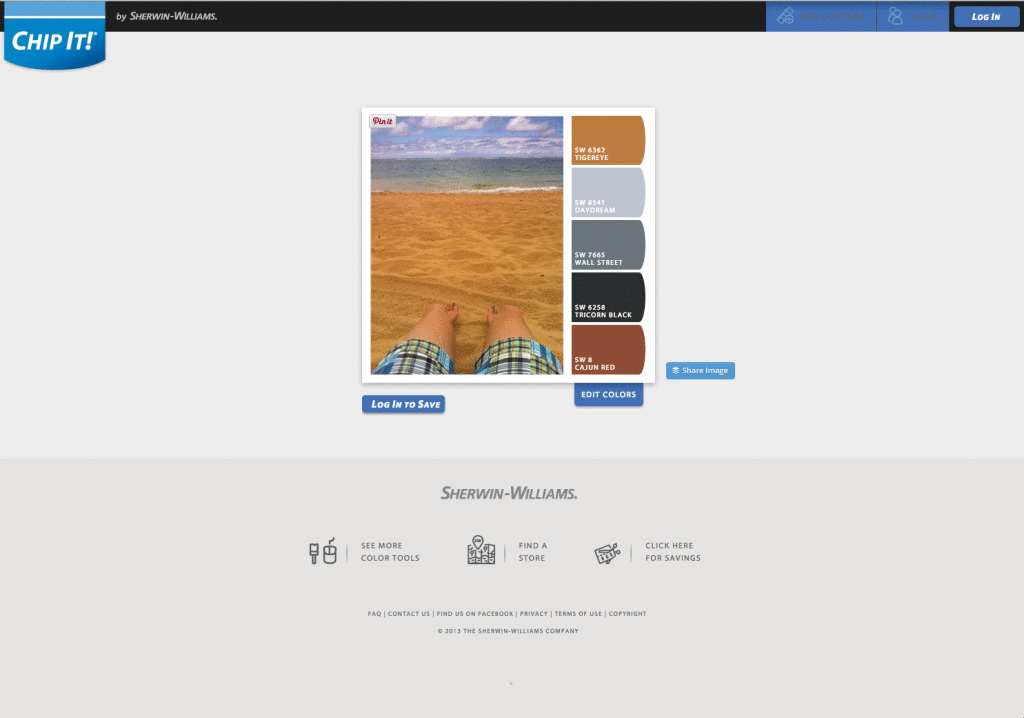
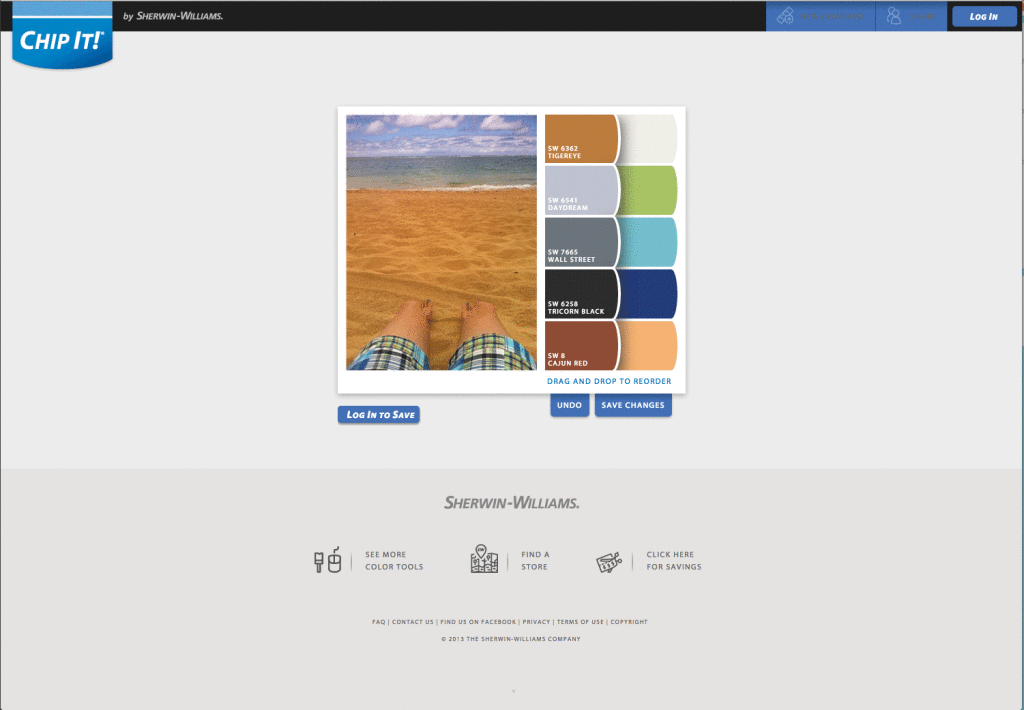
Click on edit colors and you can see the other 5. You can then drag and drop the colors to create your perfect chip card.
Now that you have that, how do you decide if it will look good on your walls. Sherwin-Williams to the rescue again. On their website they have a lot of cool features that help you visualize your room. Including the ability to create scenes from your house that you can paint. All you have to do is upload a picture and then you can paint it in various colors. You will need to log in and join the Sherwin-Williams Paint Perks, but with discounts, project tracking and the ability to paint your room virtually that you get as a Paint Perks member it is worth the extra step.
After you sign up you can upload a photo of your room. Don’t you love the consistent peachy neutral that my house came with?

Once it is uploaded you have the option to paint the room. You draw around an area and then use the paint brush to fill in the area with the color you want. I was even able to paint the carpet a gray color so I could see how the wall color would look with our planned carpet.
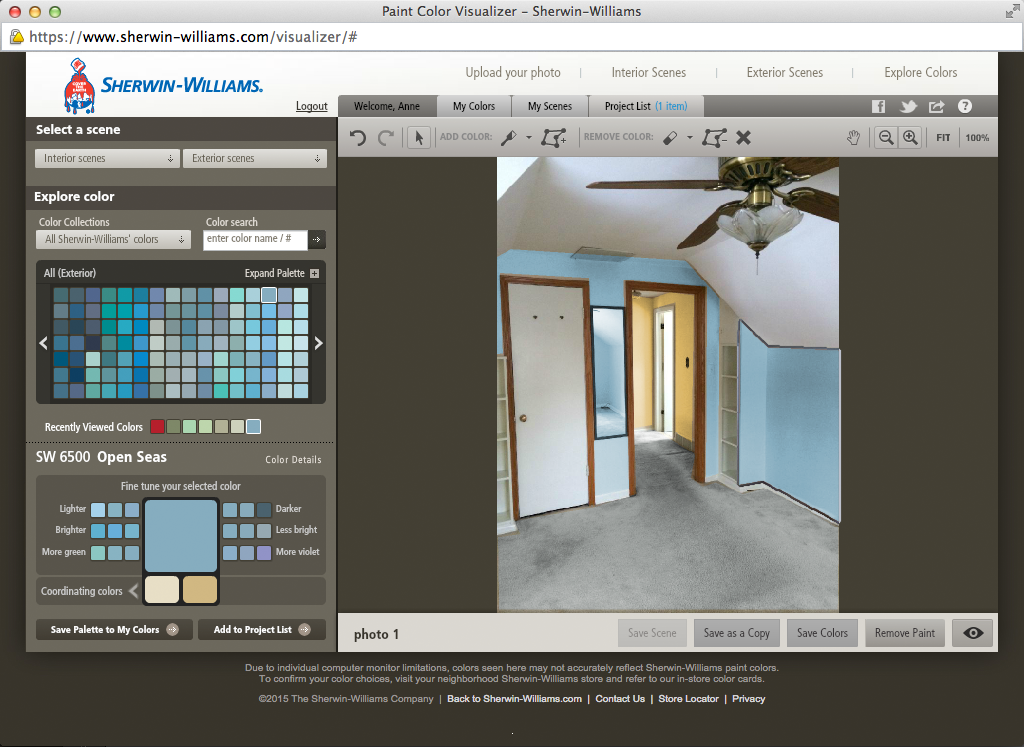
My favorite feature is the explore color feature. You can go lighter, darker, brighter and find coordinating colors. This was ultimately how I ended up with Open Seas blue. I started with some of the suggested blues from my Chip It pictures and tweaked them until I found Open Seas. The Anjou Pear yellow was on two of the Chip It boards and was always the yellow I liked.
One quick disclosure you don’t want to miss on the Sherwin-Williams website is that depending on your screen the colors may look different on the paint chip at the store. These programs are helpful but it won’t replace getting the paint card, hanging it on the wall or buying a couple of sample paint colors and seeing how you like the colors on the wall. So once you settle on your choices head to the store and have the friendly people help you get the paint chips and some sample size containers so you can test your choices. We tried two blues to make sure we got the right one for our rooms.
I panicked when I saw the Anjou Pear chip card and decided to also try two yellows on the wall to make sure I was getting it right. I hated the second yellow I bought and Anjou Pear won out in the end, but I am glad I tried them both to make sure. Ultimately the colors didn’t look all that different on the wall in comparison to the photos, but every computer is set up differently so make sure you check.

I was really impressed with Sherwin-Williams paint. We used the Emerald Interior paint because it is paint and primer in one and reduced a need for multiple coats. With the recommended roller we loved how easy it went on and the coverage it provided. The employees at the stores are so friendly and helpful. I love going in there because they are more knowledgeable, helpful and pleasant than I have encountered at a big box hardware store and as a novice painter I like the tailored help they gave me. Any company that has been doing on thing, and been doing it well, for nearly 150 years has to be doing something right.
I was so happy with the experience I have already started virtually painting my next room.

How do you pick your paint colors?
“Disclosure: I received paint from Sherwin-Williams as compensation for the post. All views and opinions expressed in the post are my own and no other compensation was provided.”





Leave a Reply